Picture this: you’re halfway through the shift, tickets stack up, and end-of-day feels impossible. When time management breaks down in support, wait times grow, customers get frustrated, and your team burns out faster than anyone can catch up. So you start working harder, but the queue keeps winning, usually because a few common mistakes show up again and again.
Here are the six problems this article covers, and the fixes you can use right away: no daily plan, being too reactive, handling low-impact tasks first, letting handle times stay high, weak delegation, and poor training. In 2026, many teams also miss the chance to use AI tools for smart routing, automation, and better scheduling, which can cut the busywork if you use them with guardrails and coaching.
Next, we’ll look at the first time-killer and how to stop it before the day slips away.
Skipping a Daily Plan and Inviting Chaos
When you skip a daily plan, support work stops being a route and starts being a maze. You begin answering tickets, then react to whatever shouts loudest. By noon, the queue grows teeth, and your best intentions turn into slow fixes and repeat complaints.
That chaos does not just feel bad. It shows up in resolution times, customer trust, and retention. In other words, the day gets away from you, and customers feel it.
Real-Life Examples from Support Desks
Let’s ground this in what actually happens on a support desk. Picture a busy morning where new tickets keep landing every few minutes. Now imagine your team does not prioritize, they just grab the next “easy” ticket.
Here are two real scenarios that play out constantly.
- The “easy first” trap (30+ tickets by late morning)
A rep sees a pile of requests: password resets, minor billing questions, and two high-risk outages. Instead of sorting by impact, they knock out the easiest items first because they move fast.
Meanwhile, the urgent outage tickets pile up. They wait until a customer gets angry enough to escalate again. Support becomes a stop-and-start sprint, not steady progress. - Ignoring urgent complaints because they look messy
Another day, someone submits an urgent complaint with unclear details. The agent chooses a clean, well-formed ticket instead. The urgent one gets delayed, even though it likely involves a live customer problem.
As a result, customers experience longer wait times and more uncertainty. They don’t care that the form was messy, they care that nobody responded fast.
In 2026 data on support backlogs, the pattern is consistent: when tickets sit too long, customers disengage. Delays beyond normal fix times frustrate people and can hurt retention. One set of benchmarks shows that fixes under 4 hours can cut churn risk, while slower handling breaks trust. Also, without AI support triage, median fix times can be nearly 3 days, while AI-assisted workflows can drop that closer to a single workday pace. The queue is not just a backlog, it’s a signal to customers that you lost control.

If you want another way to visualize the damage, think of your support queue like a hospital triage line. If you treat the easiest cases first, the hardest patients keep deteriorating. Later, you spend more time doing damage control.
For teams looking at ticketing pitfalls, these patterns match the same kinds of prioritization mistakes documented in guidance like ticket prioritization mistakes. The key is not that agents lack effort. It’s that the process lacks a steering wheel.
Impact on customer retention shows up in three ways:
- Slower resolutions make customers feel ignored.
- Escalations spike when urgency waits too long.
- Repeat tickets increase when issues get partial fixes instead of full ones.
In short, skipping a plan invites chaos, then chaos creates cost.
Why AI Priority Tools in 2026 Are Game-Changers
In 2026, the biggest shift is simple: AI does not just summarize tickets, it helps prioritize them based on urgency and context. When your team ignores those suggestions, you end up paying the “sorting tax” over and over. That tax steals your best hours.
Here’s the contrast.
- Teams that use AI priority tools treat the queue like a list with owners and deadlines. AI scans for urgency signals, routes accordingly, and helps draft next steps.
- Teams that skip AI suggestions run on gut feel. They often pick what feels easy, what they understand fast, or what looks familiar.
AI priority tools can examine things humans miss under pressure, like sentiment and urgency markers in the message. They can also consider customer context, like VIP status or history, and match workload needs.
The result is smoother flow. Instead of “What should I do next?” every few minutes, you get “Here’s what matters most right now.” That reduces wasted motion and keeps high-risk tickets from waiting until they become emergencies.
Real benchmark-style impacts show why this matters:
- AI can reduce resolution time dramatically versus manual handling.
- Teams often handle a larger share of tickets in first contact when triage and summaries are strong.
- Backlogs shrink because routine work gets routed and drafted faster.
If you want a practical example of what AI can do, see the overview of AI ticket triage tools. Even if you never buy a tool from that list, the common features are the point: auto-tagging, sentiment detection, routing, and prioritization rules.
One more thing: AI does not replace human judgment. It protects it. When AI suggests priorities, your job becomes confirming the plan, then solving the problem. When you ignore AI, you force your team to sort from scratch, all day long.
Quick Steps to Build Your Daily Support Plan
A daily support plan does not need to be fancy. It needs to be small enough that you actually use it. Think of it like tying your shoes before you run. You do not need a marathon strategy, just a safe start.
Start with a plan you can build in minutes, then run it like a rhythm. Here’s a simple structure that works well for support teams.
- Block 30 minutes for email and triage
Use this time for intake only. Scan new tickets, tag them, and group them by urgency. Then pick the first batch to handle.
If you see 30+ tickets by late morning, this block keeps you from grabbing easy ones first. - Block 1 hour for calls, live chats, and high-risk issues
High urgency belongs here. Do not sprinkle it across random minutes. Instead, treat it like a dedicated sprint.
This helps prevent urgent complaints from waiting until customers escalate. - Quick review of goals (5 minutes, before you start and after lunch)
Keep it tight: what mattered most yesterday, what’s at risk today, and what you will not ignore.
When you set a small target, you reduce the urge to chase whatever pings you next. - Start small, not perfect
Your first plan can be rough. The point is consistency. After a week, adjust based on what caused delays.
For example, if your backlog grows before noon, you likely under-triage or you route urgent tickets too late.
If you want a visual cue, use a simple schedule grid like this, even on paper:
| Time block | Focus | Output you should see |
|---|---|---|
| First 30 min | Triage and grouping | Clear urgent list, no guessing |
| Next 60 min | Live issues and high-risk | Urgent tickets moved to next step |
| Midday | Catch up on admins | Fewer “later tasks” piling up |
| Last hour | Remaining queue | Fewer open items, better notes |
That table is not about aesthetics. It’s about control. When you know what each hour is for, the queue stops owning your attention.
Finally, review your plan weekly. Look at what slipped and why. Then update the daily blocks. Over time, your team stops fighting the day and starts shaping it, one block at a time.

Staying Reactive to Every Ping and Losing Focus
Support work gets noisy fast. When you treat every notification like it requires immediate attention, you slowly trade accuracy for urgency. Over time, handle times rise, and the team feels like it never finishes anything.
That pattern often starts small. One quick chat. One “just ask” message. Then another. Soon, your workday looks less like progress and more like constant recovery mode.
The Hidden Cost of Constant Interruptions
Every ping pulls you out of deep work. In support, that “deep work” is the part where you read the full issue, check the account, confirm the policy, and plan the next message. When you stop mid-thought, you don’t just lose seconds. You lose mental energy and you start over.
Context switching is the mechanic behind it. Research shows it can take about 23 minutes to regain deep focus after one interruption. In practice, that means a “quick” switch from a ticket to a chat can double your time on the next step, because you must re-open the same facts, rebuild your reasoning, and restitch the timeline in your head.
Here’s what that looks like in real support examples:
- Mental energy loss: You read a ticket, then stop to answer a ping. When you return, you reread the same lines, re-check the same fields, and still miss one detail. That often leads to follow-up messages and corrections.
- Doubled handle times: You swap mid-call for a ticket that just “needs one thing.” When the call ends, your next response takes longer, because you lost the flow of the conversation and the customer context.
- Quality slips: Rushed answers create rework. The customer replies with “That’s not what I asked,” or the issue gets escalated because the first resolution wasn’t complete.
This churn hits hard in 2026 because teams often juggle 10+ apps at once. Email, chat, ticketing, knowledge base, CRM, billing tools, status pages, internal docs. Each switch adds friction, so the queue grows even when agents are busy.

If you want a credible way to explain it to your team, use the “tax” idea. Context switching creates a hidden tax on time and attention. One study estimates context switching can cost the US economy $450 billion a year in lost work, which maps closely to what support leaders see as burn and backlog growth. For a broader read, see the cost of context switching.
Also, tool overload makes it feel like you’re saving the day. But you’re mostly doing recovery. That’s why burnout rises when pings never stop.
The goal isn’t to answer faster. The goal is to answer with focus, fewer restarts, and cleaner first fixes.
A simple fix starts with changing how you batch attention.
- Do-not-disturb blocks: Protect 60 to 90 minutes for deep ticket work and complex tickets.
- Inbox checks 2 to 3 times daily: Stop the “always on” habit that turns email into a metronome.
- Route simple questions away from humans: Let AI handle the repeat basics, so your time goes to the hard parts.
These steps don’t just reduce interruptions. They help agents finish full threads instead of half sentences.
Leveraging AI Chatbots to Break the Cycle
AI chatbots work best when you use them as a pressure valve. Instead of every customer ping waiting in the same human queue, the chatbot resolves the simple stuff first. That reduces the number of interruptions agents feel, because fewer chats hit their desk mid-focus.
In modern 2026 setups, AI bots handle routine tasks like:
- order status checks
- password reset steps (when policy allows)
- basic plan and billing questions
- “where do I download” type questions
- guided troubleshooting for common issues
The practical value is not just speed. It’s fewer handoffs. When the bot can answer fully, the agent avoids the restart that comes from partial fixes and follow-up messages.
If you want a useful benchmark on workload impact, start with how AI reduces agent workload. That kind of analysis often highlights a key point: leaders must track more than one metric. If AI only shifts cases, the queue can move problems around. But when AI truly handles the repeat questions, agents spend more time on issues that need judgment.
Here’s how to set it up so the cycle breaks, not just shifts:
- Define “bot-safe” categories
Choose the top repeat intents your team hates. Then write clear success criteria (what the bot must complete without agent help). - Give bots access to the same source of truth
Order status should pull from real order systems, not memory. Policies should live in your knowledge base. This cuts wrong answers, which prevents rework. - Escalate with full context
When a bot hands off, it should include the conversation summary and what the agent already tried. That reduces the time spent rebuilding context. - Keep humans for the moments that need them
Customers still want humans for big issues, refunds with exceptions, safety concerns, and edge cases. The trick is keeping those issues from arriving wrapped in a dozen repeated questions.
When AI handles routine queries, your agents don’t have to stop every time a new chat pops up. Instead, they can run their work in focused blocks and let automation cover the constant noise.

There’s another benefit that’s easy to miss. AI bots create a steadier workflow for scheduling. In 2026, many teams struggle with overload from many apps and many channels. AI helps reduce the human load spikes, so your staffing and training match reality, not the “worst possible” ping level. For example, you can review different approaches and risks in AI chat agents for customer support.
In short, the best AI deployments act like a triage assistant. They answer the low-risk questions immediately, so you protect focus for the work that actually needs a person.
Filling Days with Low-Impact Busywork
Some support days feel productive because your inbox never stops. Yet you may mainly be moving paper, not solving customer problems. When work adds noise but not value, your team pays twice: first in wasted minutes, then again in future tickets.
A quick tell is this: the queue shrinks, but outcomes do not improve. Customers still wait too long, issues repeat, and training updates never get done. In other words, you clear symptoms while the cause stays alive.
Here’s the pattern I see most. Someone opens email, answers a few threads, cleans up small requests, and feels busy. After all, the tickets look “handled.” But later, you realize high-impact work got delayed, so the same questions return next week.

Spotting Low-Value Tasks in Your Queue
Not all “urgent” work helps customers. Busywork usually has three traits: it feels urgent, it feels easy, and it rarely changes the next ticket.
To spot it, separate tasks by outcome. Ask: Will this reduce future customer pain, or only end a conversation today? Then scan your queue with a fast filter.
Here are clear examples of busywork versus high-impact fixes in support.
| What you might do | Why it feels productive | Better option (higher impact) |
|---|---|---|
| Reply to long email threads that repeat what’s already in your help docs | You respond quickly | Send a short answer, then update the doc and template so the next 50 replies get faster |
| Handle “minor billing” questions without checking for a root cause | It’s straightforward and keeps you moving | Look for billing rule issues, then fix the policy or integration that triggers repeats |
| Reformat the same account notes every day | It keeps your records “clean” | Standardize notes once, then use a template or auto-summary for updates |
| Forward internal requests with no decision | It moves tasks to “someone else” | Assign an owner and deadline, or escalate with a clear ask |
| Clear low-risk password reset tickets while outages wait | They stack up, so you feel busy | Use triage windows and work outage-impact work first |
Now, let’s bring in the email habit you mentioned. Many teams spend the day clearing email while ignoring preventive work. One useful framing: email is like sweeping dust into a corner. You can keep sweeping all day, but the room never gets cleaner.
A recent support-style statistic points to emails taking up a big share of agent time (about 28% week-on-week). Even if the exact number varies by company, the habit often stays the same: agents answer messages, but they skip training updates, knowledge base fixes, and process changes.
It looks like this in real life:
- You clear the inbox at 4:30 PM.
- You feel relief.
- Next week, the same customer confusion shows up again.
- Your future queue grows, because nothing prevented the repeat.
To break the loop, try this rule for one shift. Tag each low-impact task as “Inbox now” or “Fix later.” If it only ends today’s conversation, it goes to “Fix later,” and you schedule it.
If you want a deeper, outside perspective on the busywork trap, this guide helps explain how low-value tasks hide in plain sight: The Busywork Trap: How to Spot & Escape Low-Value Tasks.
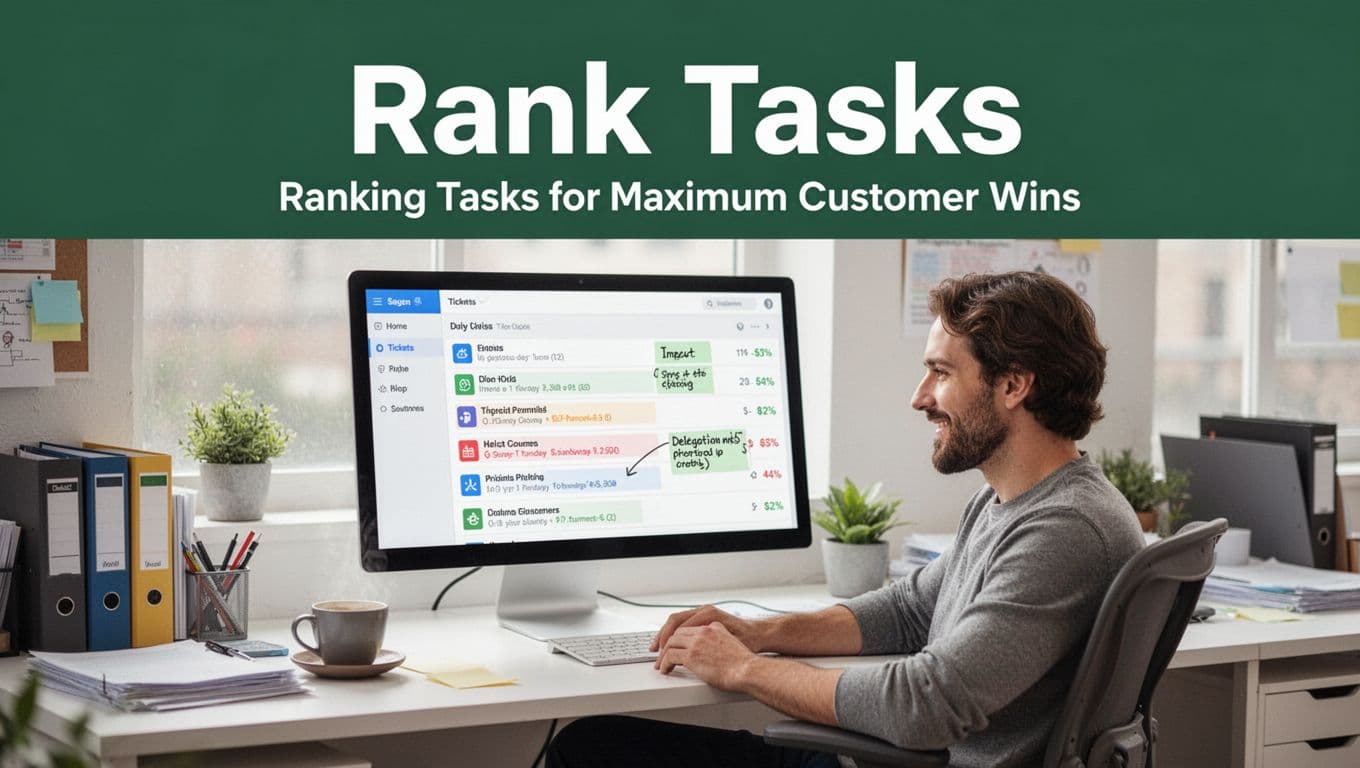
Ranking Tasks for Maximum Customer Wins
Once you can spot low-value tasks, ranking gets easier. You’re not choosing between “important” and “not important.” You’re choosing between work that creates new value and work that only removes friction.
Start with two impact questions. Keep them simple and repeat them often:
- Does this reduce future tickets or rework?
- Will this improve customer retention or prevent churn risk?
If a task scores high on either question, it belongs early in your day. If it scores low, treat it like a scheduled cleanup, not your main job.
Use a quick priority lens that support teams can actually apply:
- Customer impact: Does it stop a customer from waiting or repeating the same steps?
- Risk reduction: Does it prevent future outages, escalations, or policy confusion?
- Time-to-learn: Can you fix it once, then avoid repeats for weeks?
Next, delegate in a way that doesn’t create another bottleneck. Delegation works best when the task has clear inputs and a clear finish line.
Here are delegation tips that work well in support:
- Delegate “easy copies,” not “high-judgment solves.”
Route templatable tasks (status checks, basic confirmations, routine follow-ups) to junior reps or automation. Keep investigation, edge cases, and policy exceptions with experienced agents. - Define the handoff like a cookbook.
Your request should say what to use (policy doc, account fields), what to avoid, and what “done” looks like. That reduces rework, which is where delegation often fails. - Assign an owner and a target time.
“Someone should look at this” creates limbo. Instead, name the owner and set an internal SLA.
For help with practical prioritization mechanics in customer support, you can also reference 9 Best Practices for Prioritizing Customer Service Requests. The useful part is the mindset: route requests based on what customers need next, not what feels easiest today.
Finally, rank your day using a small set of categories. This keeps you from defaulting to emails again.
- Customer win work (first): fixes that stop repeat tickets, reduce wait time, or prevent churn.
- Queue safety work (second): triage, blockers, and known failure points.
- Inbox now work (third): fast replies that don’t require deep judgment.
- Preventive work (scheduled): training updates, knowledge base edits, and process tweaks.
If you want a simple way to choose between two tasks, use this tie-breaker: Which one will reduce the next week’s load? That’s where training updates and knowledge base fixes pay off.
Allowing Long Waits and Bloated Handle Times
When support waits run long, your queue doesn’t just grow. It changes how every customer feels. Worse, bloated handle times often come from friction you can remove fast, like weak tools, slow search, and repeated “where do I find this?” moments.
In most teams, the slowdown shows up in two spots. First response time drifts because triage stalls. Then AHT climbs because reps waste minutes hunting for answers, context, or policy. Over time, customers call back, and your “quick” tickets become repeat work.
The goal for 2026 is simple: first response under an hour, with AI collecting the right data in the background while a rep writes the final message. That keeps you from treating your queue like a fire, and it helps your team solve the problem once, not three times.
Below are the most common causes of dragging interactions, plus a practical AI setup to cut wait spikes and AHT.
Common Causes of Dragging Support Interactions
Long waits usually start with triage friction, but bloated handle times often trace back to poor tooling and bad retrieval habits. Think of it like this: if you keep your tools in five different drawers, even a simple repair takes forever. In support, the “drawers” are systems, logs, and knowledge access.
Here are the biggest culprits behind dragging interactions, especially when AHT sits over five minutes.
1. Wait spikes caused by slow search and messy knowledge When agents cannot find the right answer quickly, they stall. They scroll. They open the same doc again. They ask a teammate in chat. Meanwhile, the customer waits in silence.
One common pattern looks like this:
- Agent reviews the request
- Agent searches help docs, but results are thin
- Agent opens old threads, then tries a different keyword
- Finally, the rep sends a partial answer, then waits for the customer to reply
This creates a loop where each “quick lookup” adds minutes. If you track AHT components, you often see it show up as hold time and after-call work (ACW), because reps do more searching before and after the main conversation.
2. Bloated AHT from “history hunting” AHT balloons when reps hunt for prior context during the call. For example, if a rep spends 10 minutes per call searching through call history, email threads, or CRM notes, that time lands inside the interaction. Even if the customer issue is simple, the rep cannot move without the full trail.
This mistake hides in plain sight. Leaders see agents “talking” and assume it’s normal. However, the real drag comes from retrieving context, not communicating.
3. Wrong routing that forces transfers If customers land with the wrong agent group, transfers add time and reset the story. The customer repeats the issue, the rep rereads details, and then you pay another round of investigation.
When routing is off, you also increase ACW. Agents write more notes because they need to bridge gaps for the next person.
4. Tools that add friction (slow apps, hard navigation, missing fields) Some teams blame the agent, but the software often causes the delay.
- Slow systems make every lookup painful.
- Poor UI forces extra clicks.
- Missing fields means reps ask questions they already had the answer to.
That friction also makes it harder to follow policies cleanly. So agents guess, then correct later. Rework pushes AHT up and hurts first contact resolution (FCR).
If you want a practical, systems-focused view of AHT causes, How to Reduce Average Handle Time in a Call Center is a helpful reference for removing friction without hurting quality.
5. Low FCR because solutions never get finished When the rep solves the “talking” part but not the “fix” part, customers call back. Each repeat inflates your workload and makes the next interaction longer.
The realtime support breakdown also reinforces the link between AHT parts and outcomes, because AHT includes talk time, hold time, and ACW. If searching and follow-ups take over, the metric climbs.
When handle time gets bloated, customers feel it fast. They wait. They repeat details. They get frustrated with the process, not just the issue.
If your team spends minutes searching, your AHT problem is a retrieval problem, not a coaching problem.
So what do you fix first? Start with the fastest removal of friction: searchable knowledge, faster context access, and automations that answer the routine parts.

Building a Faster Response System with AI
AI helps when you treat it like a backstage crew, not a replacement for the show. It should gather context, find the best answer, and draft the response while a rep stays in control.
In 2026, the fastest response systems usually follow one pattern: AI collects data in the queues, then humans confirm and handle the edge cases. That’s how you keep first response under an hour without forcing agents to multitask nonstop.
Here’s a setup that works in real support teams.
Step 1: Make your knowledge base truly searchable
Your knowledge base should not feel like a filing cabinet with missing labels. Instead, it should return the right policy, step list, or troubleshooting path in seconds.
Start with these moves:
- Consolidate duplicate articles into one “source of truth.”
- Add consistent tags for product, issue type, and account state.
- Rewrite titles so they match how customers describe the problem.
Then connect AI search to this source. When AI retrieves an answer, it should show the exact article and the key steps the rep can use immediately.
If you want a focused approach to reducing AHT with knowledge, How to Reduce AHT with a Knowledge Base covers practical tactics that teams use to reduce lookup time.
Step 2: Use AI quick replies that include the next action
Quick replies should not be generic. They must include a clear next step and match the issue type.
Good AI quick replies:
- name the right steps in order
- reference the correct policy or limitation
- ask only one question when more info is needed
Bad AI quick replies:
- repeat what the customer already said
- skip safety rules or verification needs
- ask five questions at once
Also, keep a short approval flow for high-risk categories, like refunds, account lockouts, or security.
Step 3: Automate billing and routine workflows
Billing tasks are where AHT quietly swells. Reps spend time on status checks, plan changes, or “why did my charge happen?” questions.
Automations that work well:
- verify plan and billing state
- pull invoice details
- update account changes that follow policy
- generate the exact explanation message
This cuts both talk time and hold time, because reps stop waiting on manual checks.
It also improves FCR. When the first response includes verified billing details and a clear resolution path, customers stop calling back.
Step 4: Track FCR and “search minutes” together
Most teams track AHT, but they miss the reason it grows. Tie your measurement to the behavior.
Track these internally:
- FCR by issue type
- time spent on lookups (your “search minutes”)
- deflection rate for AI-handled requests
- after-call work time (ACW) per category
Then do one improvement cycle per category. Fix the top issue where search minutes are highest. After that, expand to the next category.
A useful mindset from AHT discussions is that AHT still matters, but only when it improves outcomes and not just speed. If you want a reasoned look at AHT’s continued value, Why average handle time still matters helps tie the metric to operational cost and performance planning.
Step 5: Put AI in the queue for “first response” triage
For first response under one hour, you need two things:
- AI must gather context while the ticket waits.
- The agent must receive a clean “ready-to-respond” packet.
That packet should include:
- a short summary of the issue
- detected intent and category
- the most relevant policy article
- suggested next steps
- any missing fields you must confirm
Then the agent sends a response using the draft, edits for accuracy, and moves the request to the correct workflow.
Step 6: Guardrails that prevent bad answers
AI still needs guardrails, so you do not trade wait time for wrong resolutions.
Use these guardrails:
- Only allow AI to answer from approved knowledge sources.
- Block suggestions for sensitive categories until verification.
- Require an escalation flag when confidence is low.
- Log every AI draft for QA review, at least for the first month.
Done right, the system feels like speed with control. It also protects your agents from doom scrolling through history for every call.

When your knowledge is searchable, your routines are automated, and your AI triages in the background, long waits shrink quickly. At the same time, AHT drops because reps stop hunting and start resolving.
Hoarding Tasks Without Smart Delegation
When a support leader hoards tasks, the team pays in hidden ways. Senior reps burn out, juniors stall, and customers feel the lag. You might think you’re “covering gaps,” but you’re also training your org to depend on one person.
This section helps you spot it early, then fix it with delegation that matches skills and keeps work moving.
Signs Your Team Needs Better Task Sharing
Task hoarding rarely shows up as a dramatic failure. Instead, it leaks out through small patterns you can measure and feel.
Start by watching the workload shift in real time. If one person keeps stepping in, the team gets stuck in a loop of waiting, then restarting.
A few clear stress signals often pop up together:
- Escalations pile on one desk
If a senior rep handles most “hard” tickets all day, everyone else stays reactive. That also means those escalations get delayed when the senior rep is on their own queue. - Juniors do not grow
You see the same people doing the same level of work week after week. As a result, “learning” gets postponed, not practiced. - Multi-tasking spikes when the queue gets bigger
You hear phrases like “I’ll answer this fast” and “I’ll fix it later.” Then calls, chats, email, and internal notes blur together. Burnout risk rises when people juggle too many threads and switch between systems. In 2026, heavy workloads and poor task sharing drive burnout for many agents in US support teams, with major stress reported across contact centers. - Analytics reveal bottlenecks, not just busy hours
If dashboards show rework, reopen rates, or long after-call work for one role, that’s often hoarding. Someone may be doing the hard part, but they also get pulled into “everything else.”
To make these signals concrete, look for “overload examples” in your daily rhythm.
For example, you might notice that a senior rep answers escalations during live support hours, then spends the late afternoon rewriting notes for those same tickets. Meanwhile, juniors wait because their work keeps getting overridden or rechecked. That pattern creates two problems at once: work slows down now, and it never transfers.
Here’s another tell. Watch response timing on mixed queues. When low-risk tickets stack behind high-risk ones, customers wait longer for help. Yet the senior person still jumps into easy requests to keep things “moving.” The queue moves, but the team capability does not.
Even worse, the team starts copying the hoarder’s behavior. You get a culture where everyone believes they need a senior approval for almost everything.
If you want a quick benchmark for delegation failure signs, this article on 5 signs you’re not delegating correctly gives a useful checklist mindset. Use it as a mirror, not a rulebook.

Delegation Strategies That Actually Work
Smart delegation is not “send work away.” It’s splitting the load so the right people handle the right tasks, with clear finish lines. Think of it like assigning sections of a kitchen in a restaurant. One cook should not plate every dish, and one assistant should not run the whole service alone.
The goal is simple: reduce hoarding, reduce burnout, and still protect quality.
Delegate by skill, not by job title
When leaders delegate by seniority alone, they end up with bottlenecks. Instead, match tasks to skills and decision rights.
A practical way to do this is to create a short skill map for your support roles:
- Juniors handle well-defined workflows
Examples include password resets, standard account changes (when verified), and policy-driven troubleshooting steps. - Mid-level reps handle investigation within guardrails
They can research causes, review logs, and draft solutions using known playbooks. - Seniors handle true edge cases and escalations
They focus on policy exceptions, safety issues, billing disputes with risk, and complex bug triage.
If you only delegate “the easy stuff,” juniors stay undertrained. However, if you only delegate “the hard stuff,” seniors burn out and nobody improves. The sweet spot is a steady ramp.
If you need a wider delegation perspective, Mastering Delegation: How to Effectively Delegate Customer Service Tasks highlights that delegation works best when duties are clear and repeatable.
Use buffer scheduling to stop delegation from collapsing
Here’s what most teams miss. Delegation fails when you treat it like a zero-sum swap. If you assign 10 more tasks to one person with no room to learn, quality drops.
So build buffers.
Use small scheduling blocks that give people time to ask questions and finish fully. For example:
- Add 15 to 30 minute buffers after escalation waves
This keeps seniors from being pulled back in every time a handoff needs help. - Create a daily “handoff window”
During that window, juniors can route unclear cases without delaying everything else. - Set a response expectation by category
Let some tasks follow a longer SLA when they are safe and templated.
Buffers also protect focus. Instead of “everyone multitasks to catch up,” the team knows when learning and review can happen.
Create a delegation rule: “draft first, approve fast”
You want juniors to gain confidence without drifting into slow rework. A strong pattern is:
- Junior drafts the full customer reply.
- Senior approves within a set time.
- Only exception cases escalate immediately.
This keeps the senior from doing the whole task. It also keeps the junior from waiting all day.
To make this work, define “done” in one sentence, so people do not guess. For instance, “Done means the customer gets next steps, required verification, and a clear closure message.”
Train with task packets, not vague coaching
Training should feel like handing someone a well-labeled toolbox. When you only coach people verbally, they still waste time searching.
Instead, bundle tasks into repeatable packets:
- the exact knowledge sources they must use
- the account fields they must check
- the “do not do” list for risky categories
- a sample response template they can modify
Then run a short coaching loop. After a few tickets, review the handoff quality. Adjust the packet. Repeat.
This is also where AI can help if you use it carefully. For example, AI can draft the first reply or summarize context while you keep humans in control for approvals and exceptions. That reduces the “reinvent the wheel” part of hoarding.
If you’re outsourcing or expanding coverage later, the same principle holds: use how to outsource customer support the right way as a reminder that delegation is about control and quality, not just cost.

How to Balance Workloads and Reduce Stress
Once you delegate by skill, add buffers, and require a “draft first” approach, your stress drops fast. Teams stop waiting on one hero, and customers get steadier responses.
You can also track delegation health with a few simple signals:
- fewer “escalation rewrites” by seniors
- faster handoffs for juniors
- reduced after-work for the same senior rep
- less multi-tasking during live support hours
Most importantly, you’ll see growth. Juniors handle more responsibly. Seniors spend less time firefighting. The queue moves forward because the work is shared, not hoarded.
Neglecting Training and Fueling Repeat Tickets
When training slips, repeats don’t. They multiply like weeds. One wrong step from a new agent often creates a second ticket. Then a third one shows up, and suddenly your team looks busy but customers still feel stuck.
Training is not just “how to use the tool.” It’s how your team learns to solve problems all the way through. Fueling matters too. If agents lack the right info at the right time, they guess, patch, and push the customer back into the same loop.
How Poor Training Creates Ticket Loops
Poor training creates repeat tickets in two ways: wrong answers and unfinished fixes. Both push customers to contact you again, usually with the same core issue.
Here are common repeat scenarios you’ll recognize fast.
Scenario 1: The newbie misses a required detail
A new agent sees “charge looks wrong” and responds with a generic refund policy link. The customer replies with the missing order ID, because the agent never asked for it.
Now the customer must explain everything twice. As a result, you get repeat tickets and higher handle time. The fix was not missing empathy, it was missing the right intake step.
What happens next is predictable:
- The agent checks policies, not the account.
- They confirm the wrong assumption.
- The customer returns because the core issue stays.
If you want a pattern view, see how teams can spot training gaps from what tickets reveal in What Your Customer Support Tickets Reveal About Your Training.
Scenario 2: Incorrect “next steps” lead to a callback
Another classic loop starts with the wrong troubleshooting order. For example, an agent asks the customer to reinstall an app before checking an account setting.
The customer tries it anyway. It fails. Then they submit again and say, “We already did that.” Now the agent has to unwind the last attempt, confirm the right cause, and re-explain everything.
This is where training should have prevented the loop:
- teach the correct sequence
- teach what to verify before moving on
- teach when to stop and escalate
Scenario 3: Safe policy shortcuts get applied to unsafe cases
Untrained agents often follow templates without checking risk flags. They might approve a step that requires verification. Or they may deny a request based on a policy section they misunderstood.
Either way, the customer hits a wall and contacts support again. In these cases, repeat tickets aren’t about customer effort. They’re about missing decision rules.
A quick way to spot this internally is to audit repeat-ticket categories:
- “I already tried that”
- “You didn’t answer my question”
- “Your steps didn’t work”
- “I need a human, not a template”
Those phrases usually point to training gaps, not just isolated mistakes.

Scenario 4: Agents fix the symptoms, not the cause
Sometimes the agent closes the ticket too early. They might resolve the immediate message, but skip the root cause. Example: they tell a customer how to update a profile field, but the account system keeps rejecting the same change.
The next time the customer tries, the same failure triggers another ticket. This is why “close it” isn’t the goal. The goal is “prevent the next contact.”
A training program should teach agents to ask: “What would make this break again?” Then they should add one preventive note, one fix, or one escalation path.
Repeat tickets often signal a knowledge gap, not a customer attitude problem.
Scenario 5: Training ends, so support never improves
Even good training can rot. If you don’t refresh it when policies or products change, agents start using outdated playbooks. Their replies may sound correct, but the outcome stays wrong.
In 2026, teams still see repeats rise when knowledge updates lag behind real changes. You can reduce that by tying training to ticket outcomes, not dates.

Modern Training Hacks with AI Guidance
AI guidance helps because it acts like a coach in the moment. It can remind agents of the right steps, pull the right policy, and catch missing fields before the customer has to return.
The best setup feels practical, not complicated. It should reduce repeats by improving first contact resolution and completion.
Real-time tips: teach the next best action
During a live chat, AI can suggest:
- the exact question to ask next
- the right article to reference
- the verification steps you must not skip
- a draft response tied to policy language
The key is timing. Guidance must arrive while the agent is writing, not after they mess up.
In real deployments, companies report that AI assistance can cut handle time and improve resolution quality. For a data-driven overview, check 10 best agent assist software in 2026, which summarizes common agent-assist capabilities teams use for faster, more accurate responses.
Refresher plans: train from your own ticket patterns
Instead of one big training session each quarter, build short refresher loops. Use ticket tags to pick the top repeat causes. Then teach those steps in 10 to 15 minute bursts.
Here’s a simple model that works well:
- pick one repeat cause (example: missing intake details)
- show two real examples from last week
- run a “do it right” drill (ask, verify, then respond)
- add a quick empathy reminder (so tone stays kind)
This matters because repeats are often both process and communication. The customer feels ignored when you miss the detail. They repeat when you miss the fix.
Add an empathy refresh, but tie it to the failure
Empathy alone won’t stop ticket loops. However, empathy paired with correct steps makes a difference.
Use a micro-refresh like this:
- acknowledge frustration without blame
- repeat what you will verify next
- confirm what you already checked (so they don’t redo it)
When agents say, “I see what happened, and I’m checking the account field we missed last time,” customers feel progress. That reduces callback pressure.
Track CSAT and repeat signals together
To stop fueling repeats, track two things in the same dashboard:
- customer satisfaction (CSAT) after resolution
- repeat contact rate within a short window
When CSAT stays high but repeats rise, your agents may sound friendly but still miss steps. If CSAT drops and repeats rise, you likely have both training gaps and incomplete fixes.
Then run targeted coaching on the exact failure pattern. Don’t coach “communication.” Coach “the missing step that caused the callback.”
You can also pull guidance from industry examples of training improvements. OpsMatters covers how teams use better agent training to reduce repetitive contacts in Reducing Repetitive Customer Calls Through Better Agent Training.
Turn training into living playbooks
AI can help you keep playbooks current. When a policy changes, you update the knowledge source once. Then guidance reflects the new rules during live support.
The result is less outdated advice. It also reduces the time new agents spend searching, which cuts the chance they guess.
For teams exploring AI setups that support agents during customer work, resources like AI Agent Customer Support: Complete Team Guide 2026 explain how AI handles repeat requests while keeping humans for edge cases.
In short, neglecting training and fueling creates repeat tickets. Modern AI guidance fixes the moment agents need help, and it shortens the time it takes to learn the right steps.
Conclusion
Support teams lose time in the same six places: skipping a daily plan, reacting to every ping, filling the day with low-impact busywork, letting waits and handle times grow, hoarding tasks instead of delegating well, and running on weak or outdated training. Once those patterns show up, customers wait longer, fixes feel harder, and agents burn out faster.
The strongest takeaway is simple, protect focus while you raise first-contact quality. When you batch work, triage smarter, and train for complete fixes, you can see 20 to 30% faster resolutions, happier customers, and a lighter load on your team.
Pick one change for tomorrow. Start with a short daily support plan (30 minutes for triage, 60 minutes for high-risk work, then a quick review). That single step helps you stop reacting, so the queue doesn’t keep owning your day.
Which mistake hits home most for you, the daily plan gap, the constant interruptions, or the ticket loops from poor training? Share it in the comments, and subscribe for more practical support time management tips.